









OK Google Glass, Let's Do a Science Experiment

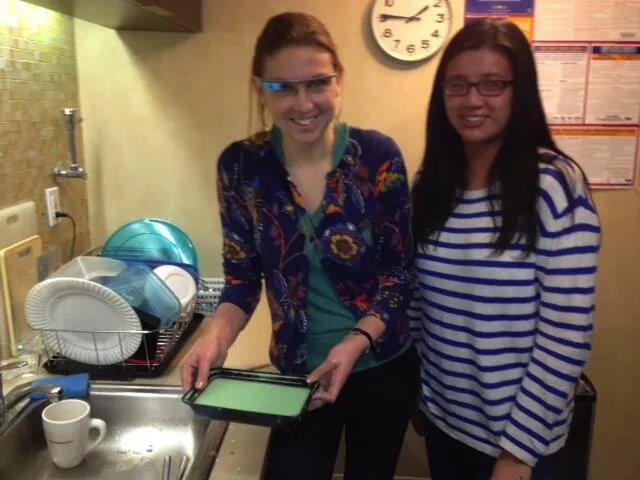
Google Glass has been making a splash in the tech world, but the high-tech spectacles could also be useful for teaching science.
The glasses — which can surf the Web, record video and share media with friends — have been used with everything from skydiving to surgery. But science teachers might find them a handy tool for explaining experiments and getting kids jazzed about science. Here at LiveScience, we took Glass for a test-drive while we performed a simple science experiment: making the gooey substance "oobleck."
Wearing Google Glass feels a bit disorienting at first — a small screen floating above your right eye lets you browse the Web or read email. You navigate the system by giving voice commands (such as "OK Glass, record a video") and by swiping the side of the glasses as you would a touch screen
When doing messy experiments with Google Glass, it's good to have an assistant, because you do need your hand to navigate the swipe pad on the glasses. I enlisted fellow staff writer Denise Chow to help me prepare the oobleck.
Oobleck is a non-Newtonian fluid — it behaves as both a liquid and a solid. Making oobleck is a fun and easy science experiment, provided you don't mind getting your hands dirty. All you do is mix one part water and 1.5 to 2 parts cornstarch, until the substance has a gooey consistency. (Sometimes, it's easiest to use your hands for mixing.) Food coloring is optional. [See Video of Making Oobleck with Google Glass]
With the glasses connected wirelessly to a smartphone, I asked Glass to Google terms like "oobleck" and "non-Newtonian fluid."
Next, I used Glass to record a video of myself playing with the oobleck. You can't browse the Web at the same time you take a video, but it was easy to switch between the two. The default video is only 10 seconds, but you can tell Glass to "extend video." Once you're done, you can share the video with your social network.
Get the world’s most fascinating discoveries delivered straight to your inbox.
Teachers could potentially record a demonstration of an experiment to show their students, or students could record videos of their own work to show their teacher or share them with classmates.
The system doesn't work perfectly yet — when I asked Glass to Google "oobleck," it Googled "brick" instead, and navigating the video recording was a little tricky at times —but all in all, Google Glass was a pretty good platform for teaching a science experiment.
And, as a bonus, you get to look extra nerdy wearing the glasses in science class!
Follow Tanya Lewis on Twitter and Google+. Follow us @livescience, Facebook & Google+. Original article on LiveScience.
